

%202.webp)


Trusted by Leading Engineering Enterprises









Why Threedy Over Traditional Solutions
Traditional Documentation Tools
Time-consuming imports and conversions
Changing CAD-data require re-import and manual rework
Require high-end workstations and costly infrastructure
Risk of working with outdated documents
With Threedy’s instant3Dhub
Work directly with native CAD data from any connected backend system
Automatic updates via live CAD reference with minimal rework
No GPU-heavy backend or workstations required
Live updates guarantee access to latest publications
Key Capabilities
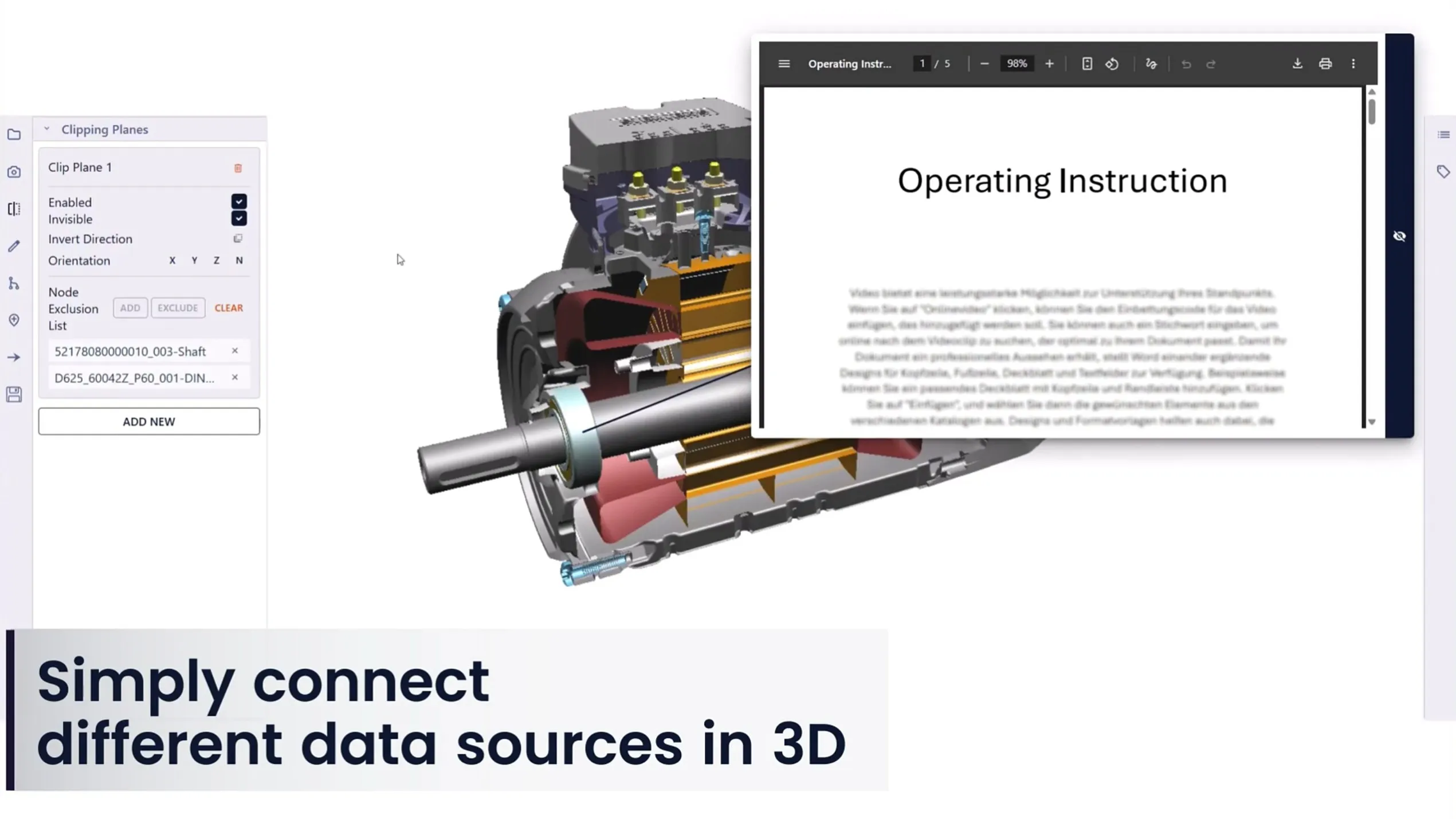
Author directly on live CAD data
Create technical documentation directly on the original 3D CAD data without exporting, simplifying, or duplicating files. All annotations, steps, and visuals stay connected to the source.
Key Capabilities
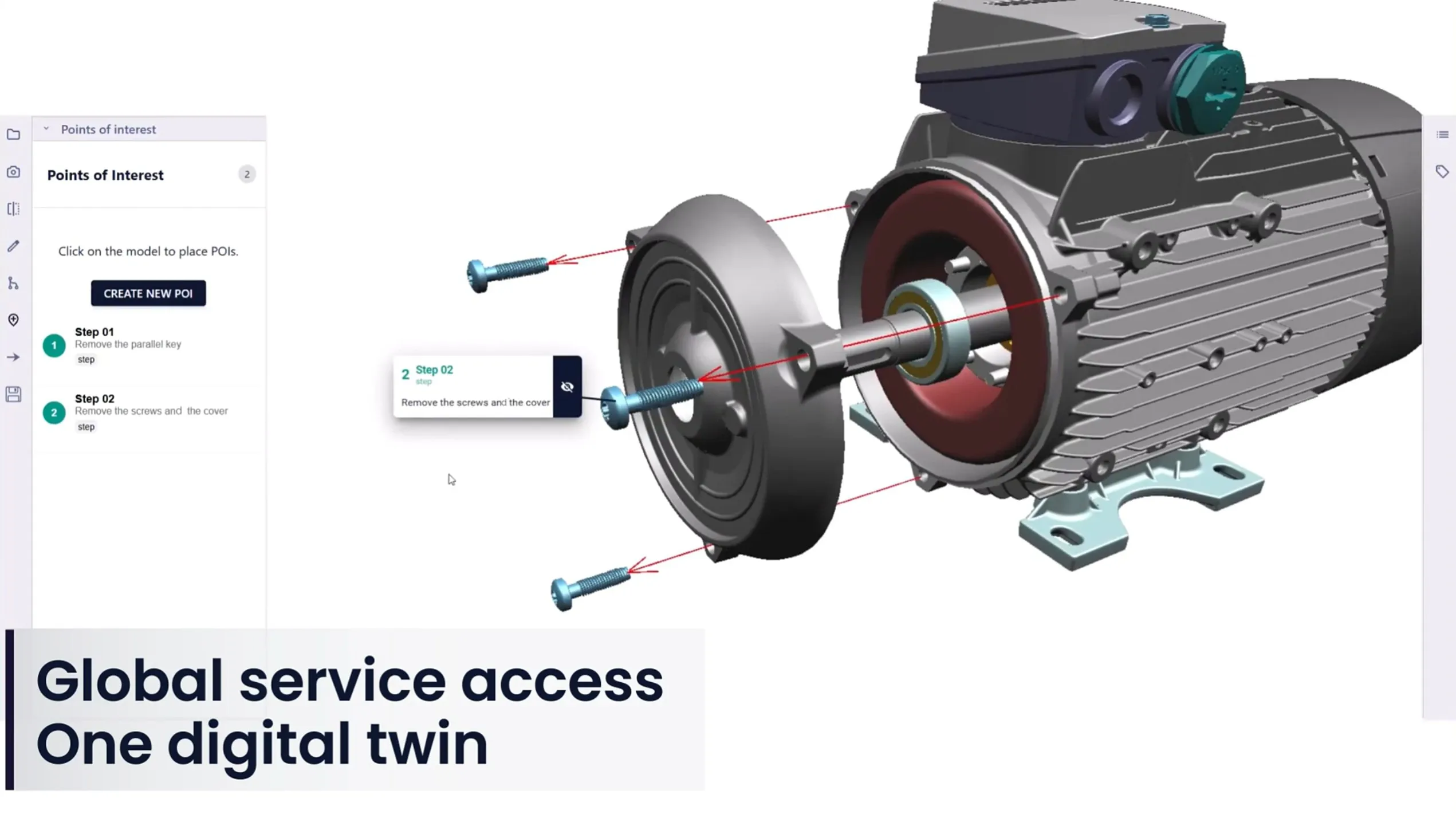
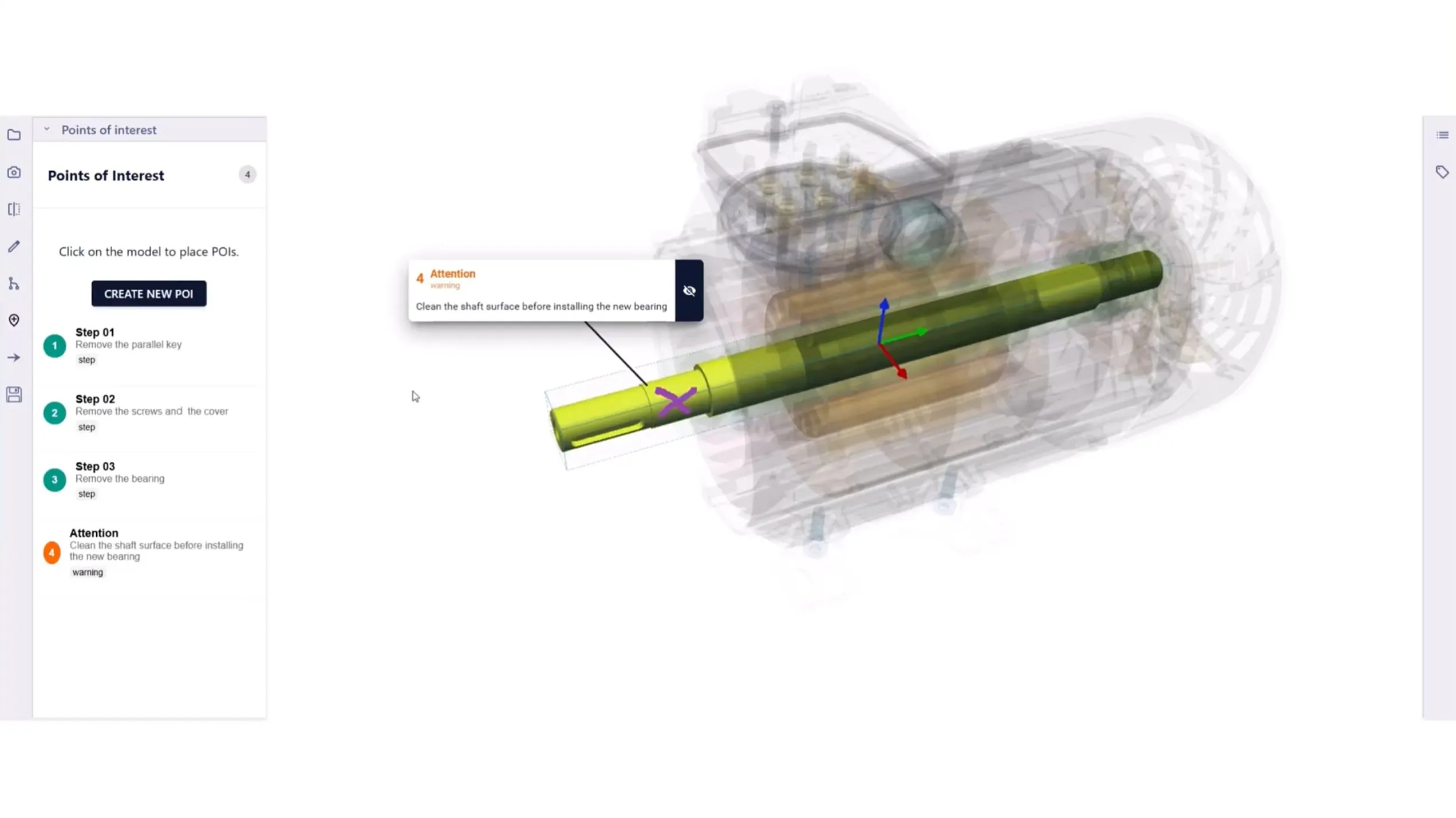
Create interactive 3D documentation
Build step-by-step service and training documentation using interactive 3D. Exploded views, annotations, and trace lines make complex assemblies easy to understand for any audience.
Key Capabilities
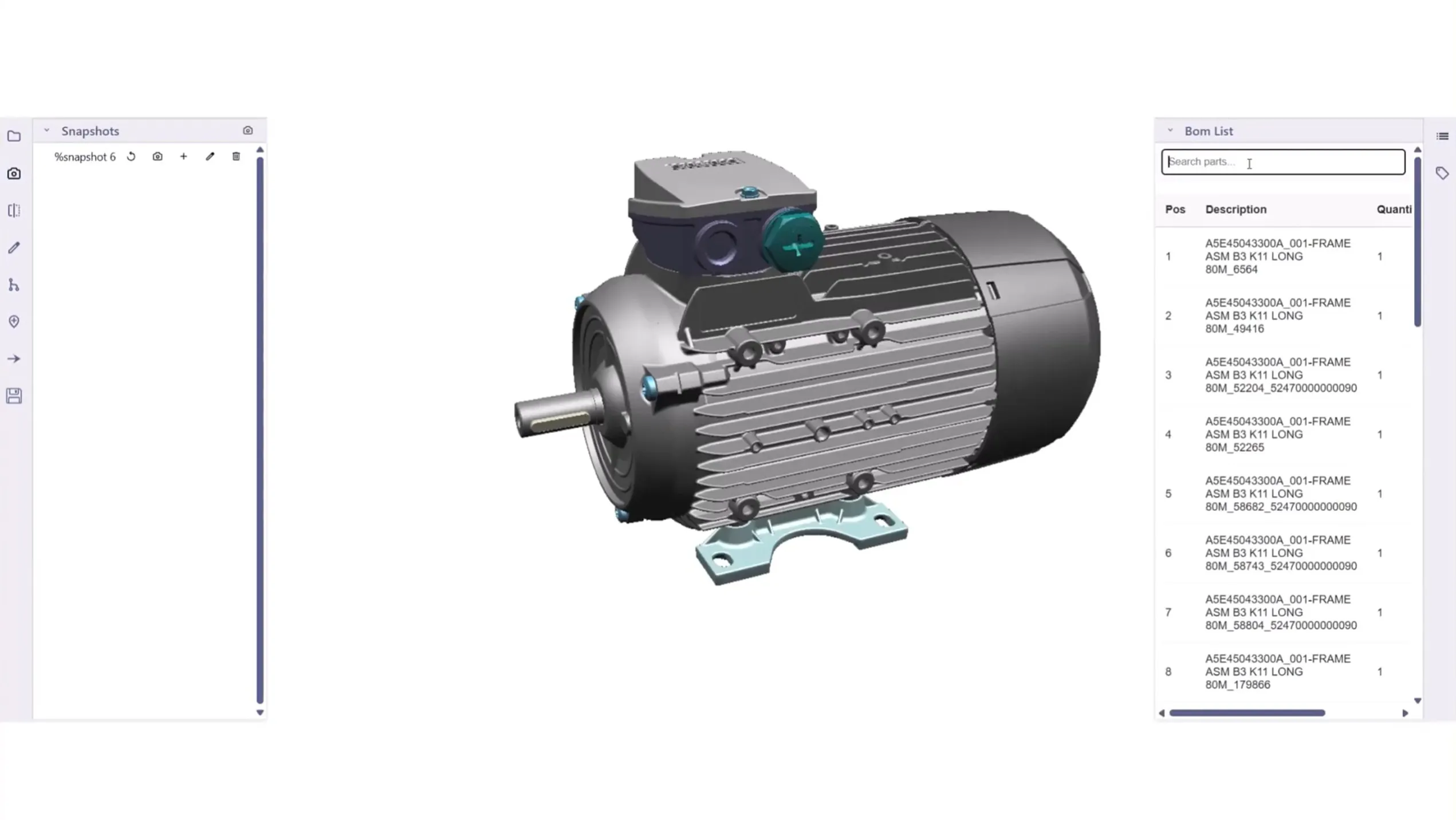
Automatically stay aligned with CAD changes
Documentation stays up to date as designs evolve. Changes in CAD data are reflected automatically, reducing manual updates and eliminating outdated instructions.
Key Capabilities
Author and view directly in your browser
Create and consume technical documentation in the browser on any device. No local installations, no GPUs, and no barriers for authors or end users.
.webp)


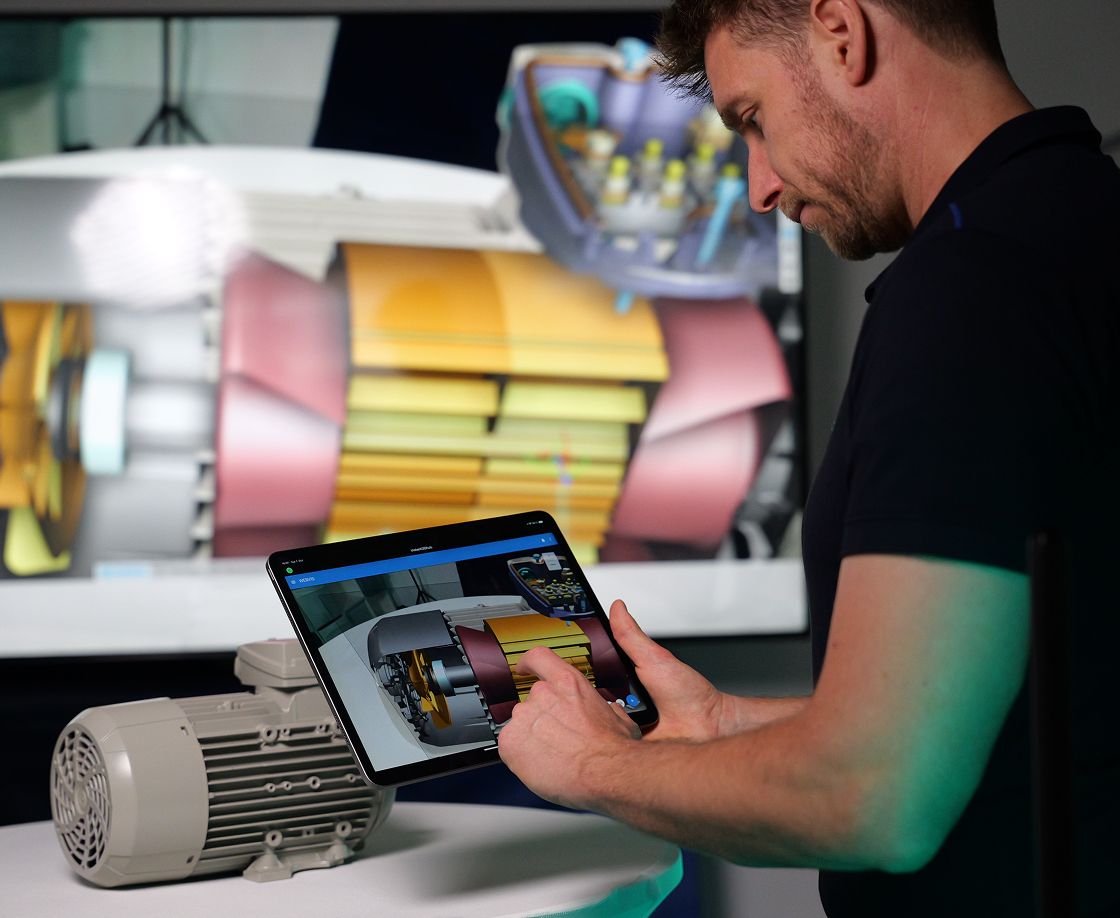
Experience 3D instructions in a live demo
Discover how enterprise teams use instant3Dhub to collaborate, train, and make decisions faster.

Frequently Asked Questions
Explore questions about authoring, updating, and deploying live CAD-based technical documentation.
What is 3D technical documentation?
3D technical documentation is service, assembly, or training material built directly from a product's 3D CAD data rather than static screenshots or manual drawings. With instant3Dhub, it's authored on live CAD in the browser using exploded views, annotations, and step-by-step instructions and stays automatically in sync as the design changes.
Which data sources can be connected?
instant3Dhub connects to virtually any enterprise backend where 3D and product data lives including PLM, PDM, and ERP systems, network file systems, and cloud storage. Documentation is authored directly against these sources through live connections, so the content always references the original CAD data rather than a copied or converted file. This means you can pull assemblies and parts from the systems your engineering teams already use, without migrating data or maintaining a separate documentation repository. If a source system is connected, its 3D data can be used as the live basis for technical documentation
Do I need to import or convert CAD data?
No. Authors work directly on native CAD data through live connections, so there's no manual import, export, or format conversion at any stage. Traditional documentation tools require you to export CAD into an intermediate format and re-import it every time the design changes, which is slow and error-prone. With instant3Dhub, the 3D data is streamed from the source system as-is, and the documentation stays linked to it. This removes the preparation step entirely and ensures what you're documenting always matches the current engineering state.
How are CAD changes handled?
Technical documentation references assemblies and individual parts through live links to the source CAD data, so when a design changes, the documentation updates automatically rather than being rebuilt by hand. Whether a single part is revised or a whole assembly is updated, the change flows through to every document that references it, with minimal manual rework. This keeps service, assembly, and training materials aligned with the latest released engineering data and eliminates the risk of technicians working from outdated instructions a common problem with static, screenshot-based documentation.
Can we publish both 3D and 2D documentation?
Yes. The same source content can be published as interactive 3D documentation with exploded views, annotations, and step-by-step instructions users can rotate and explore in the browser or exported as static 2D PDFs for print, offline use, or systems that require a fixed document. This lets you meet different audience needs from a single authoring process: interactive 3D for technicians and trainees who benefit from spatial context, and traditional PDFs where a portable, printable format is required. Because both outputs derive from the same live CAD reference, they stay consistent with each other and with the current design.
Where can the solution be deployed?
instant3Dhub can be deployed on-premises, in the cloud, or in a hybrid setup, depending on your security, data-residency, and IT requirements. On-premises deployment keeps all CAD data and documentation inside your own infrastructure, which is often required for sensitive engineering IP. Cloud deployment reduces infrastructure overhead, while hybrid setups let you balance the two for example, keeping source data on-premises while serving documentation through the cloud. In all cases, authoring and viewing happen in the browser, so end users need no local installation regardless of how the platform is hosted.
Does working with native CAD data expose our intellectual property?
instant3Dhub provides controlled, view-only access to CAD data, so users can see and interact with 3D models without ever receiving the underlying native files. Geometry is streamed securely to the browser rather than downloaded, meaning the original CAD data never leaves your protected environment and can't be extracted, copied, or reused elsewhere. Access is governed by your existing permissions, and deployment options including on-premises and private cloud keep sensitive engineering IP inside your own infrastructure. This lets you share documentation with technicians, partners, and customers while retaining full control over the source data.