

%202.webp)
Stop Selling Industrial Machines with Screenshots and Slides
Bring live, native CAD into customer meetings. Explore machines, answer questions and align on configurations together, without waiting on Engineering for exports or presentation-ready visuals.
Trusted by Leading Engineering Enterprises









.webp)
What Changes in the Meeting When the Machine Is Live
Selling with screenshots and slides
Build screenshots and PowerPoints before every customer meeting.
Ask Engineering to prepare exports and visuals.
Screen-share static material instead of the actual product.
Take customer questions back to Engineering for follow-up.
Lose feedback and decisions across emails, notes and presentations.
Selling with instant3Dhub
Open the current native CAD straight from your PLM.
Stream the full machine in the browser, on the customer's own device.
Walk through configurations and variants together with the customer.
Lead the visual walkthrough yourself, no engineer needed in the room.
Capture decisions on the model and carry them into the next deal.
Key Capabilities
Show the Machine
as It Is Today
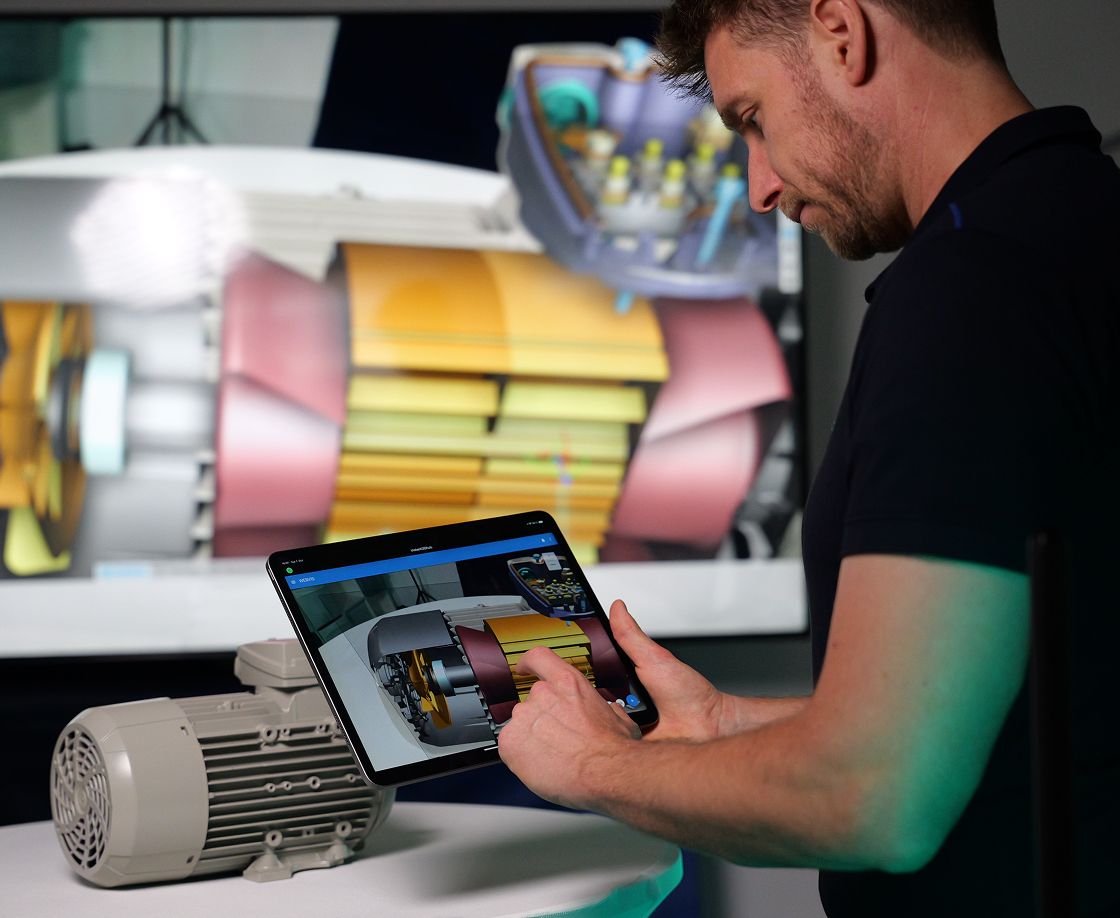
Your sales team opens the current native CAD data straight from the connected PLM or CAD system, in the meeting, without asking Engineering for exports, conversions or cleaned-up visuals. What the customer sees is the state of the product, not a snapshot someone prepared three weeks ago.
Key Capabilities
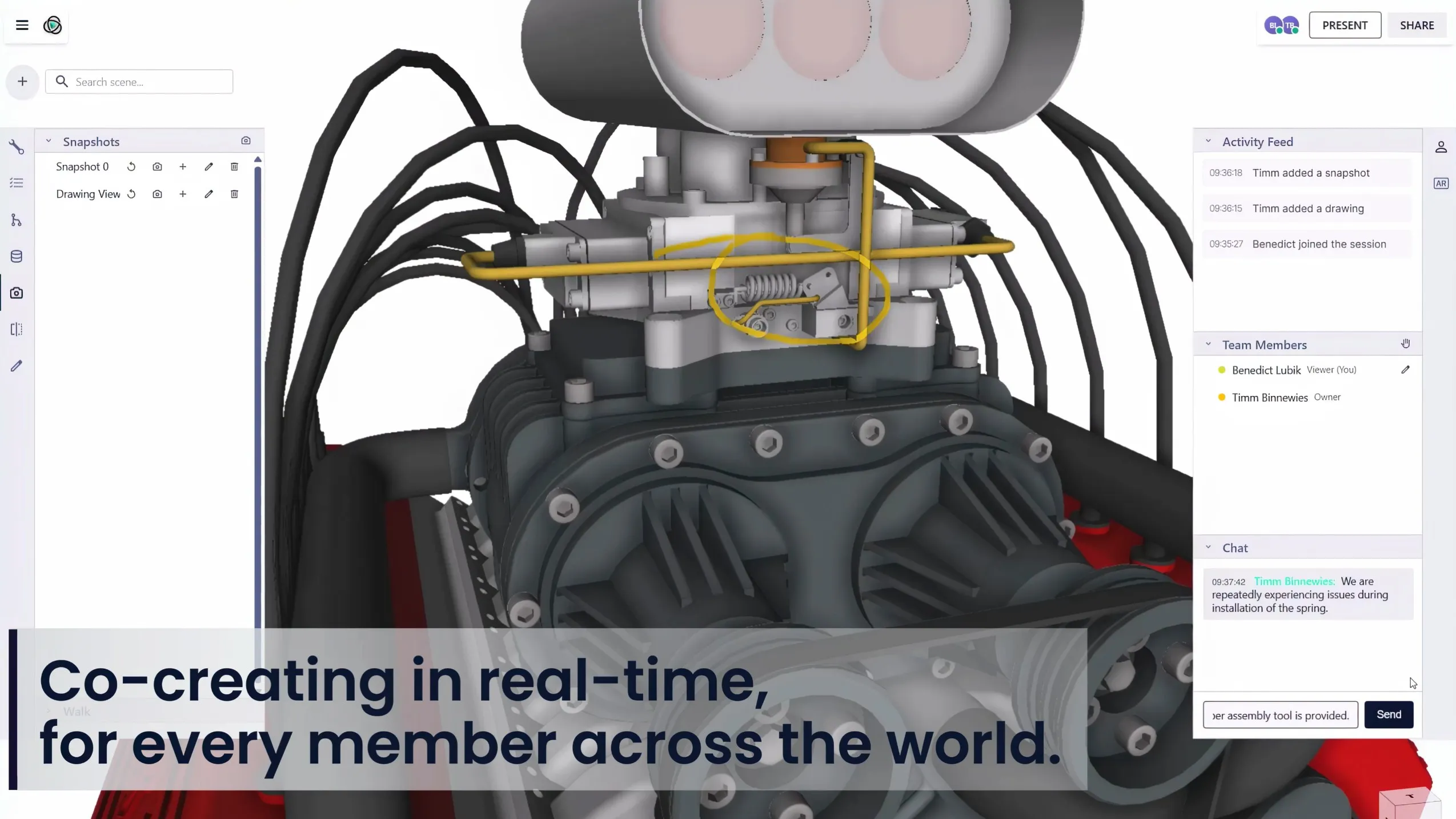
One 3DSpace for You, Your Customer and Your Engineers
Sales, the customer and Engineering join the same 3DSpace and look at the same machine at the same time. Take the wheel and walk everyone through it, hand control over when the customer wants to look for themselves, and settle configuration, layout and variant questions in the meeting instead of in a follow-up email.
Key Capabilities
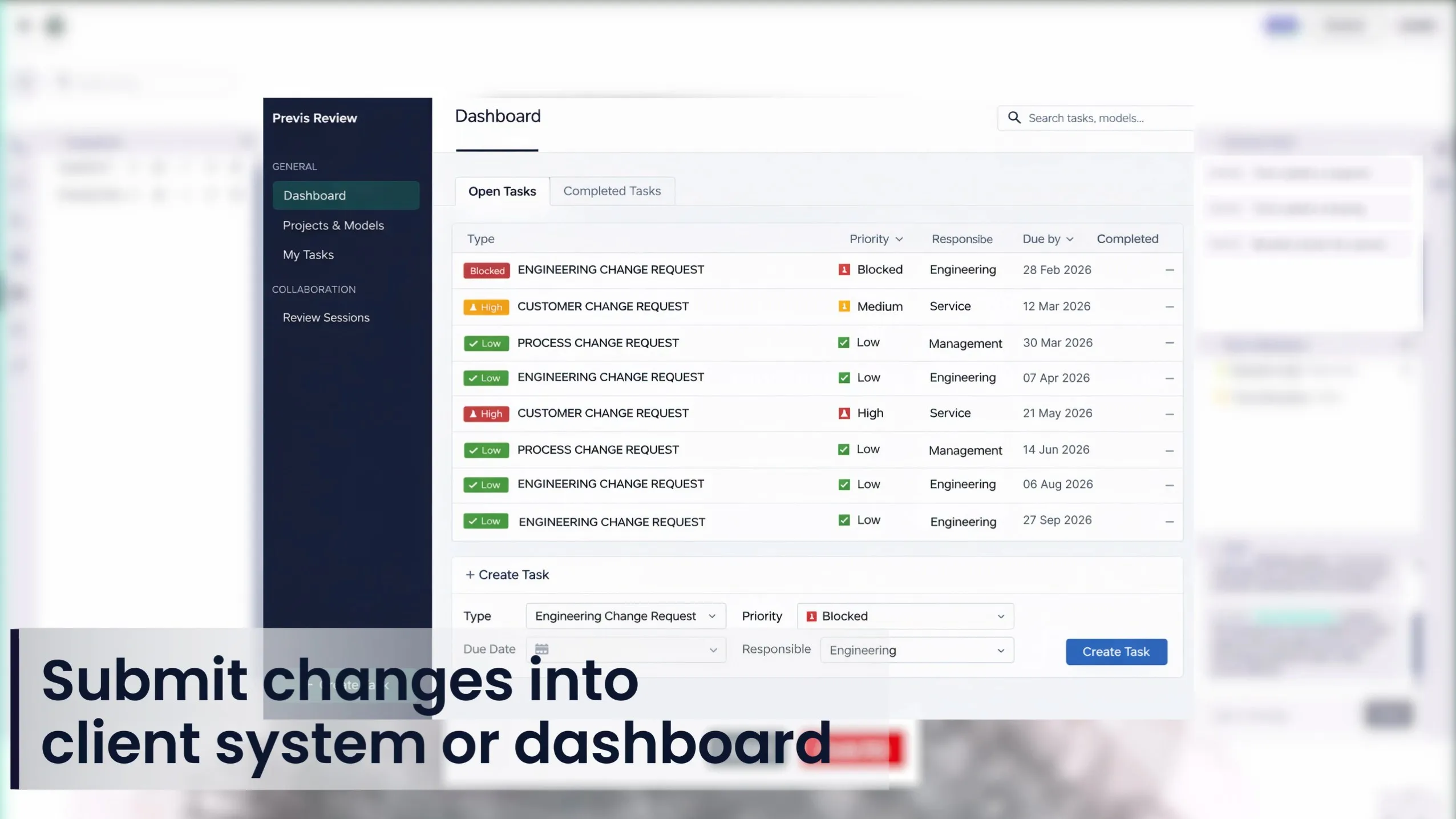
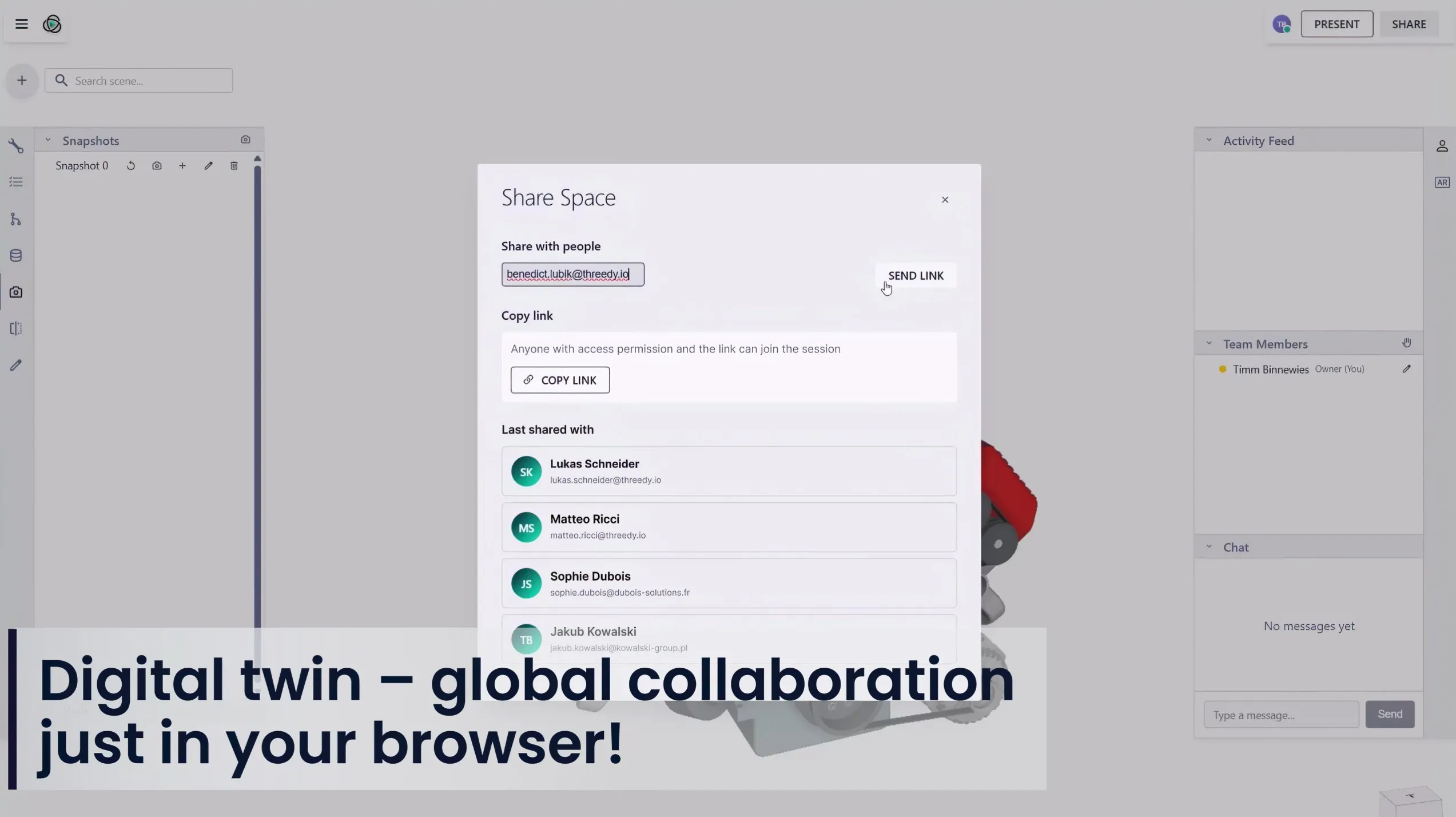
Share a Link, Not a File
Invite customers and colleagues with a meeting link or simple credentials. There is no software to install on their side and no IT project before a first meeting. Permissions decide who sees which model and which parts of it, and the geometry is streamed rather than sent, so your CAD never leaves your environment.
Key Capabilities
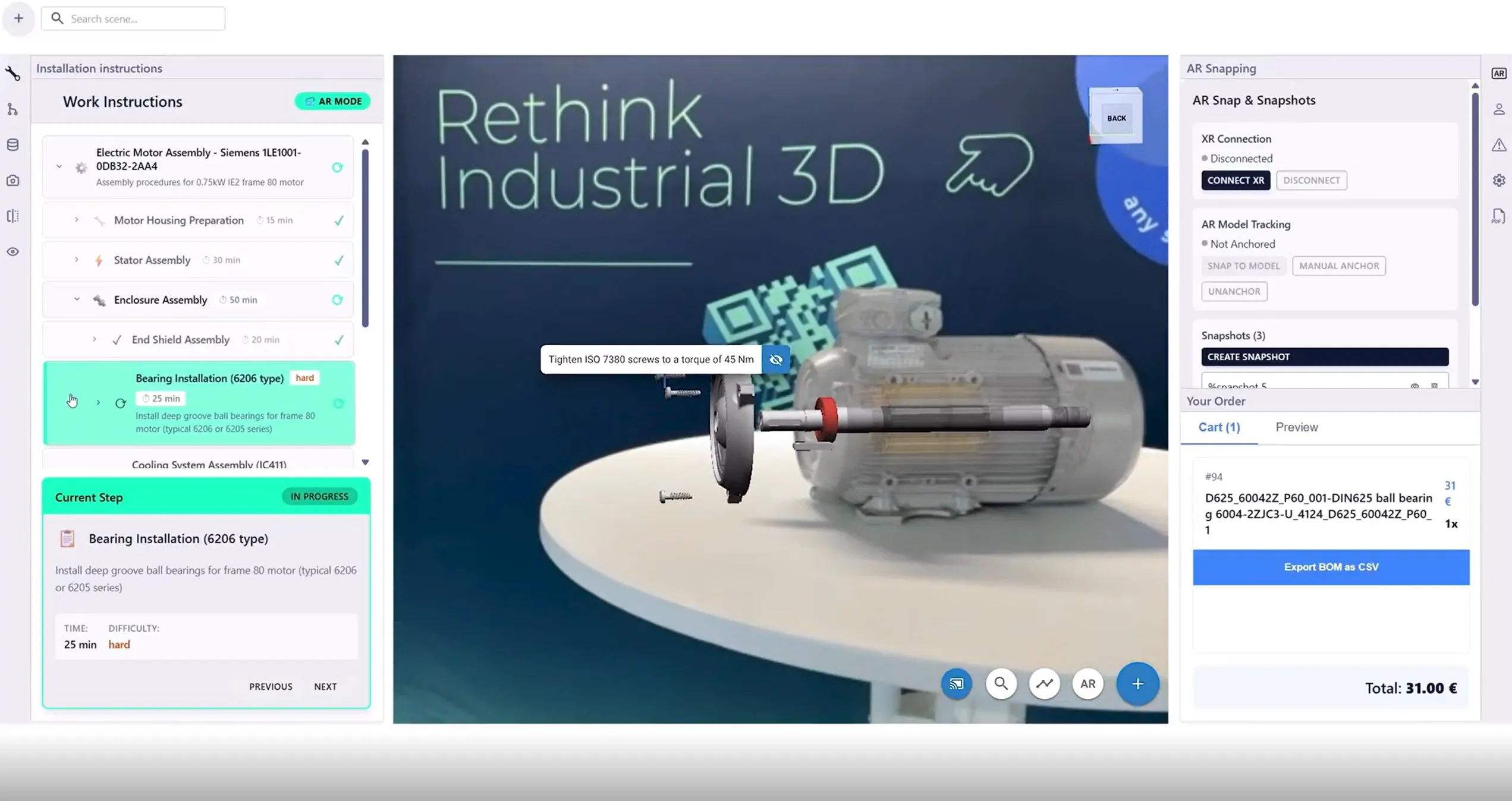
See It in the Real World
Place the machine on the customer's shop floor in augmented reality and check footprint, positioning and access before anything is built or shipped. It works on a tablet on site, on the same live data as the meeting the day before.


Trusted by Leading Engineering Enterprises







See It on Your Own Machine Data
See What Your Next Customer Meeting Could Look Like
We open a full machine assembly live in the browser and walk through it the way you would with a customer. Bring your own CAD data if you want to see it on your product.

Frequently Asked Questions
Questions sales and business development teams ask before their first live 3D customer meeting.
What does instant3Dhub change for technical sales and pre-sales teams?
It turns your engineering data into something you can present directly, in a browser, at the moment a customer asks. Instead of requesting exports from Engineering, waiting for a converted file and building a deck of static screenshots, your team opens the actual product model and explores it live. That means a sales conversation can follow the customer's questions rather than the slides you prepared in advance. Configurations, variants and internal components can be shown on the spot, which shortens the loop between a customer's question and a credible answer.
What do customers and external participants need in order to see the 3D data?
A browser. There is no CAD installation, no plug-in and no viewer software to roll out on their side, and no IT project to get a prospect into a meeting. This matters most when the people you need in the room are not engineers: procurement, service organizations, plant managers or executives who would never have a CAD seat but still make the decision. The same link works on a laptop in a meeting room and on a tablet on a shop floor, so the technical conversation is no longer limited to the few people with the right software.
How do we make sure sales is always showing current product data?
Because instant3Dhub works with your connected CAD and PLM sources and reads native data directly, what your team presents reflects the state of the product rather than a snapshot someone exported weeks ago. This removes one of the more damaging failure modes in technical sales, where a customer is shown a configuration that Engineering has already changed. It also removes the manual preparation cycle around it, so there is no separate library of sales assets to maintain and no question about which version is the current one.
How do we share 3D data with customers without losing control over it?
Access is governed rather than handed over. Permissions determine who can open which model and which parts of it, so you can share exactly what a specific customer or partner needs to see and nothing beyond that. Because the data is streamed and rendered rather than distributed as a file, your source geometry stays inside your environment instead of leaving it as an attachment. For organizations with strict requirements around intellectual property, the platform can be deployed within your own infrastructure so the data never sits outside your control in the first place.
Can it handle full machine or vehicle assemblies?
Yes. Large industrial assemblies, complete vehicles and full plant layouts are the case the platform was built for, not the exception it struggles with. Rather than loading a model onto a local machine and hoping the hardware copes, instant3Dhub handles the heavy work centrally and streams only what is needed for the current view. Practically, this means the size of the assembly stops being a factor in whether you can show it, and your team can open the full product in front of a customer instead of a simplified stand-in.