

%202.webp)
Beyond CAD: Where AI for 3D Data Gets Interesting
A lot of the excitement around AI and 3D right now is focused on the creation side: better CAD tools, AI-assisted modeling, automated geometry generation. There is an underserved area of use cases apart from CAD design. Using AI in engineering & manufacturing review and technical sales to cut down iteration cycles and turnaround time by 70-80%.
.webp)
AI for 3D data is coming to industrial workflows
This is about AI agents that can work with 3D data to handle tasks that humans currently do. Not tools that help you design faster, but agents that take on whole work steps: reviewing, interpreting, communicating, reporting. The same shift we've seen in text-based knowledge work like legal, now entering spatial data.
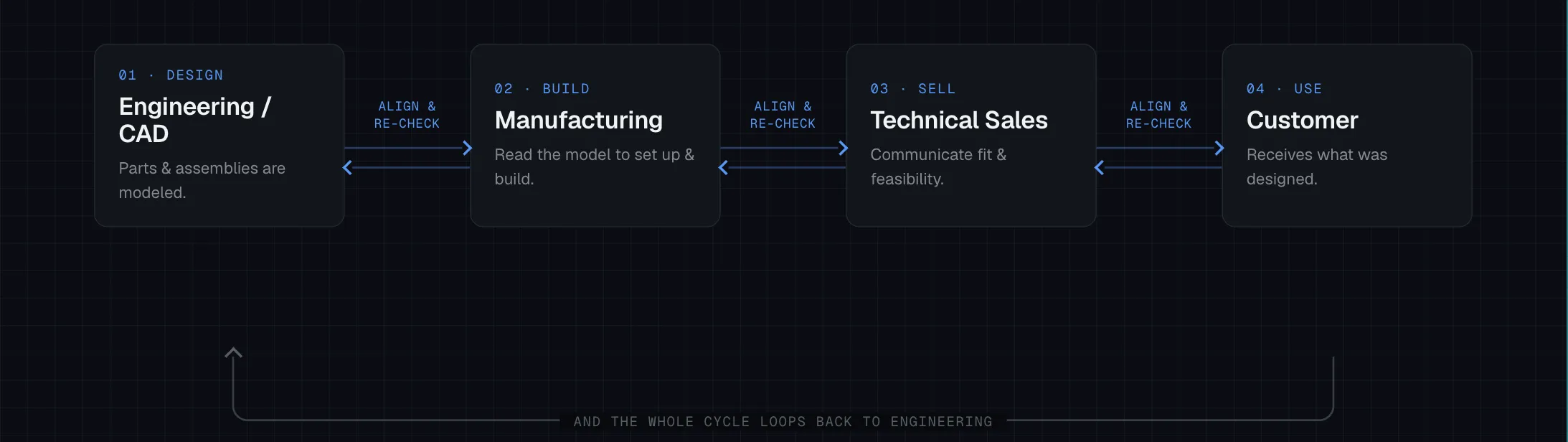
This matters because 3D data in industrial companies isn't just sitting in CAD tools. It moves. It goes from design to manufacturing. It goes from engineering to sales. It goes from development to the customer and back. At every handoff, someone has to translate that 3D data into something another person or team can act on. That translation work is manual, expert, and time-consuming. That's the target.
How 3D data moves through industrial companies
Take a mid-sized manufacturer. Engineers design parts and assemblies in CAD. But the model doesn't stay in engineering. It goes to manufacturing, where people use it to figure out how to operate machines, set up processes, and physically build what was designed. It goes to technical sales, where account managers use it to communicate with customers about what's possible, what doesn't fit the requirements, and what needs to change. It often loops back to engineering with a list of changes to implement.
At every step, the 3D model is the communication medium between people with different knowledge, different goals, and different contexts. And at every step, that communication requires a significant amount of manual work to happen.
Engineering review: the obvious entry point
Engineering review is where this approach is getting the most traction, and for good reason. It's a high-value, clearly defined workflow with a lot of manual effort baked in.
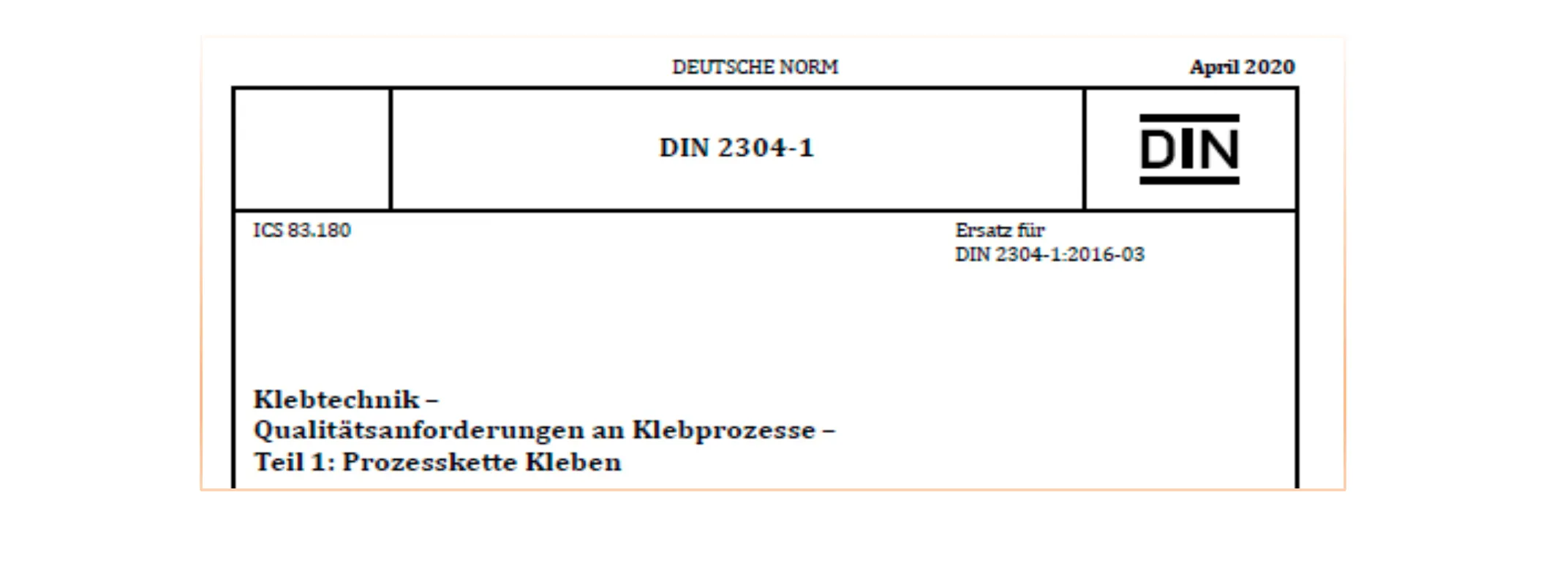
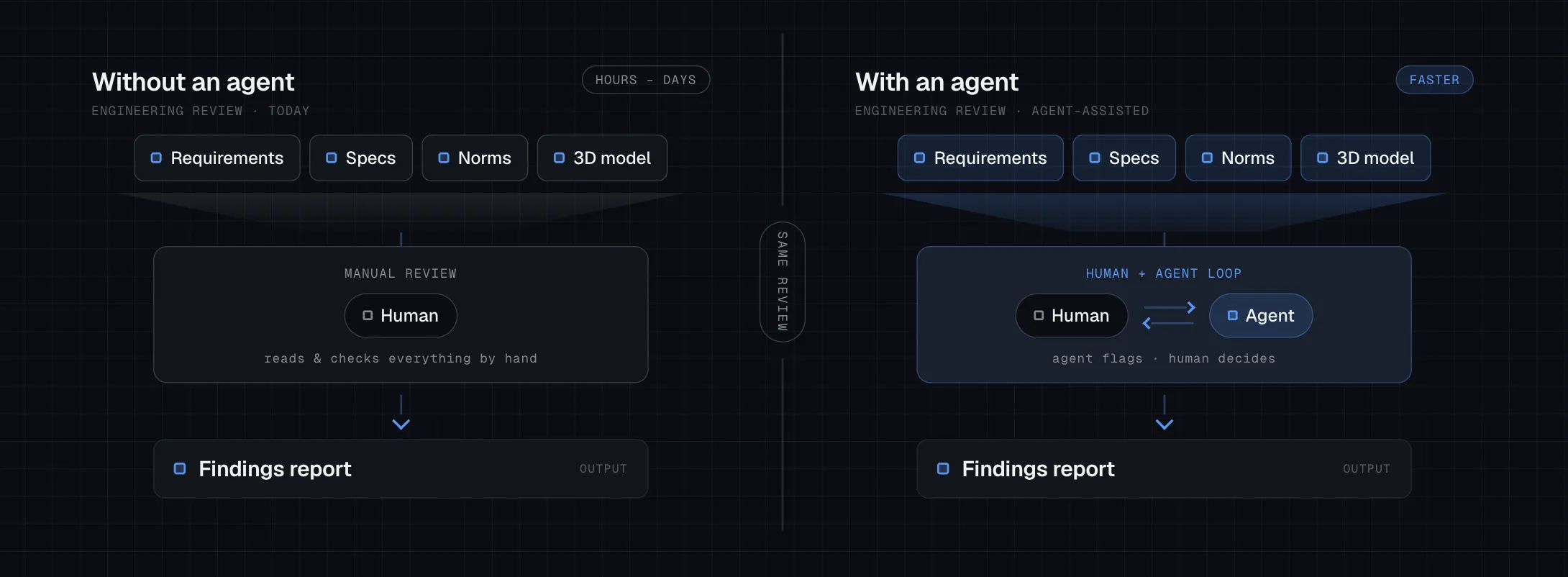
Today, an engineer doing a review has to ingest a stack of input: customer requirements, internal specifications, legal norms and standards. They map all of that against the current state of the 3D model, identify issues and gaps, and write a report. Depending on complexity, this takes hours or days per review cycle.
An agent can take on large parts of this. It ingests the requirements, maps them against the model, flags deviations, and drafts the findings. The engineer's job shifts from "read and check everything" to "evaluate what the agent found and decide what to do about it." That's a real change in how someone spends their day. The agents we can build today aren't perfect, but they're already useful. The recent releases from OpenAI and Anthropic this year show a meaningful step up in how well these models handle structured reasoning over complex inputs. The gap between what was possible twelve months ago and what's possible now is noticeable.
Manufacturing and sales: the underserved opportunity
Before GPS, navigating an unfamiliar city meant either local expertise or a paper map the size of a tablecloth. GPS didn't make people better navigators. It made navigation irrelevant to getting somewhere. Applying AI to 3D data does the same for the knowledge inside it: the salesperson, the manufacturing planner, the account manager don't need to become experts in reading the model. They just need to get somewhere.
Engineering review is the obvious starting point. The workflows I find more compelling in the medium term are further down the chain: manufacturing handoffs and technical sales.
In manufacturing, the gap between a finished engineering model and an operating machine is bridged by people. Someone has to read the model, understand the tolerances and material specs, determine the sequence of operations, and translate all of that into instructions a production team can act on. This is expert, manual work. An agent with access to the model and domain knowledge about manufacturing processes could handle significant parts of this, and free up the people doing it today for the judgment calls that require a human.
In technical sales, the challenge is slightly different. A salesperson is often mediating between what a customer needs and what engineering can deliver. That means understanding the customer's 3D context, identifying what fits and what doesn't, and communicating the required changes back to engineering. It's slow, it requires technical depth that not every salesperson has, and it's heavily dependent on getting the right people in the same room. An agent that can bridge the 3D understanding between customer and engineering team would change how fast this loop runs.
Neither workflow gets much attention in the current conversation around AI for 3D data, which stays almost entirely in engineering. I think that's a gap worth paying attention to.
Finding a way on google maps
Finding screws in a CAD assembly
Why this is technically non-trivial, and why it's solvable now
The reason this has been hard is simple: large language models work with text. A 3D model is spatial data. Those two things don't naturally talk to each other.
To build a 3D agent that reasons about spatial data rather than just reading a text description of it, you need four things working together: the language model, the 3D/CAD data, a translation layer that converts spatial information into something the LLM can reason about, and domain knowledge specific to the workflow. The engineering review agent needs to know what norms apply, what counts as a deviation, how to structure a report. A manufacturing agent needs different knowledge. A sales agent needs different knowledge again.
The translation layer is the hard part technically. Building it well is what separates an agent that's shallow from one that's genuinely useful. But the pieces are there now, and the models are capable enough that investing in this infrastructure makes real sense.
What we're building and what we're seeing
My team and I are building this at Threedy. We started with engineering review because it's the clearest workflow to define and test. The first results are real. Not perfect, but already useful and saving engineering time.
What's become clear from building it: once the translation layer exists and domain knowledge can be encoded and customized, the same architecture adapts to manufacturing and sales workflows. But the use case I keep coming back to isn't the engineer. It's the people around the engineer.
The technical sales rep who works with 3D data every day but isn't deep in engineering analysis. The manufacturing planner who needs to interpret a model but wasn't the one who designed it. These are the people who stand to benefit most from an agent that carries the underlying engineering knowledge for them. For the salesperson, it means walking into a customer conversation with the ability to understand what's technically feasible and why, without looping back to engineering for every detail. For the manufacturing team, it means getting from model to production instructions faster, with less back-and-forth.
The agent doesn't replace their expertise. It fills in the parts that were slowing them down, and lets them focus on the job they're actually there to do.
That's the version of this I'm most excited about, and what we're working toward.
Subscribe to the Threedy Product Newsletter to learn more about AI for 3D

Curious about where Agentic 3D is headed?
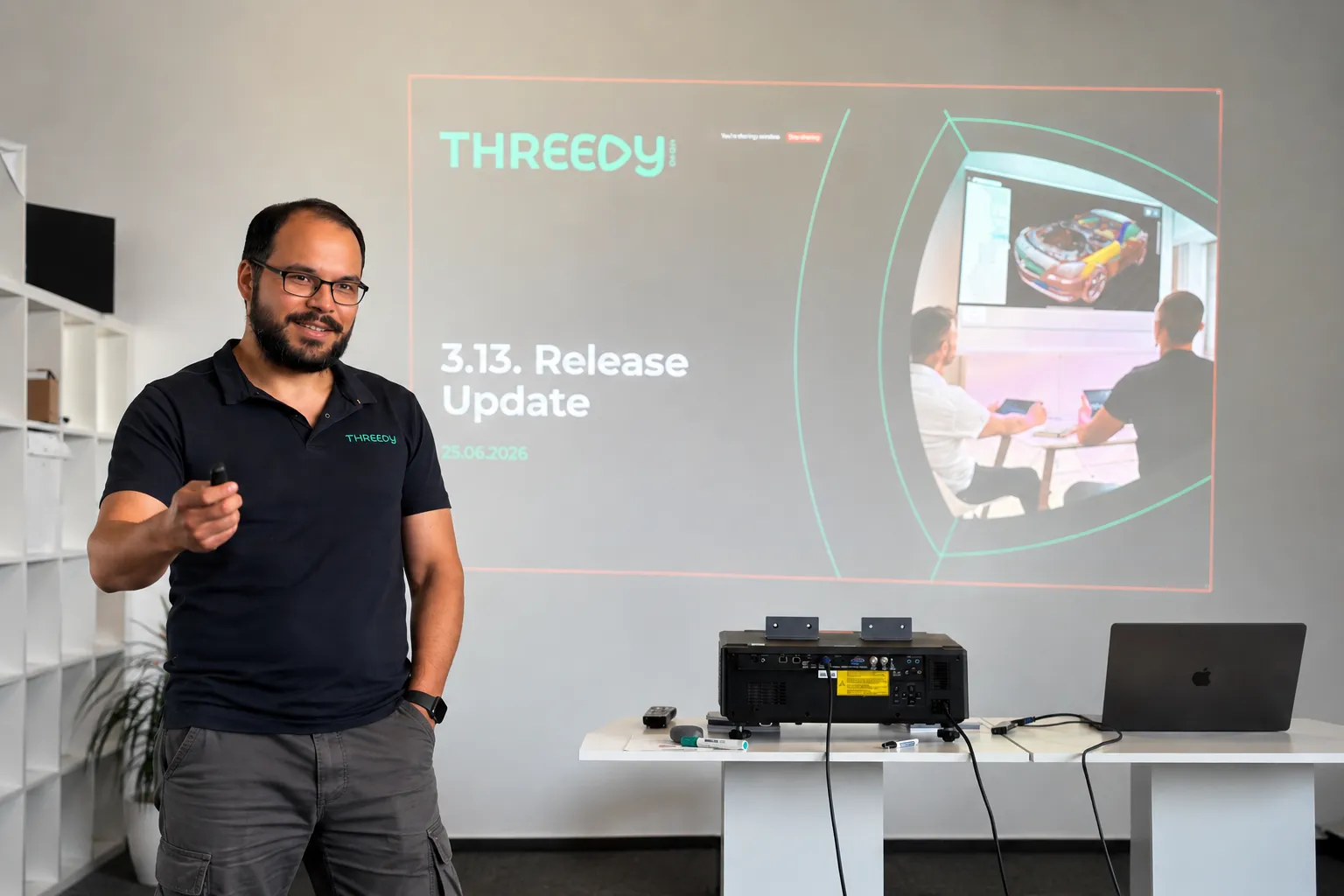
Threedy is giving a select group of individuals access to learn the latest on Agentic 3D and how it's reshaping the industry.


.webp)